
Cashier User Role
Give your staff the tools to easily collect customer payments without giving them access to the rest of your Kopo Kopo account. Cashier users can send payment prompts using M-PESA STK Push, claim Lipa na M-PESA payments and view payments made by the customers they serve.
Request payments with M-PESA STK Push
Cashiers can send an M-PESA payment prompt directly to a customer’s phone, making it faster and easier to collect payments.
Link every payment to the right Cashier
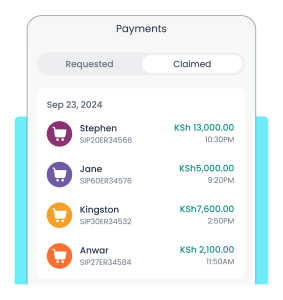
If a customer pays through your Lipa na M-PESA till, the Cashier who served them can claim the payment so it is linked to them. This makes it easier to know who collected each payment.
claim and track
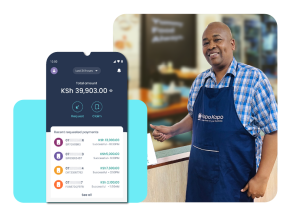
Give your waitstaff the power to request, claim and track M-PESA payments.
Track payments collected
Cashiers can see the payments made by the customers they have served during their shift, helping them keep track of payments without seeing transactions belonging to other staff members.
cashier user role
Simplify payment reconciliation
With payments linked to the staff member who served the customer, it is easier to track collections, review payment activity and reconcile payments at the end of the day.
Get more from a Cashier User Role
Cashiers can only request, claim and view payments. They cannot move money, access business settings or see payments belonging to other Cashiers.
Administrators can add or remove Cashier users at any time, while Managers and Administrators can view payments and activity across all Cashiers from one place.