
Introducing Cashier by Kopo Kopo — give your staff the power to request, claim and track M-PESA payments
Running a restaurant, club or hotel is not just about serving food and drinks — it is about providing a smooth, enjoyable experience for your customers, from the moment they walk in until they settle their bill. But without the right tools, things can get messy, leaving your waiters and waitresses caught up in sorting out payments instead of keeping customers happy.
If this sounds familiar, you are probably facing these challenges:
- Using multiple Lipa na M-PESA till numbers to keep track of payments coming in.
- Asking customers to show their M-PESA messages or write down transaction codes.
- Some customers walking away without paying.
- Waiters and waitresses spending time reconciling payments at the end of their shift, only to find that the numbers do not match.
- Struggling to know the customers a waiter or waitress has served.
- Overwhelming one cashier with the task of confirming all incoming payments.
🔊 We hear you! It does not have to be this hard.
🚀 Meet the new Cashier user role
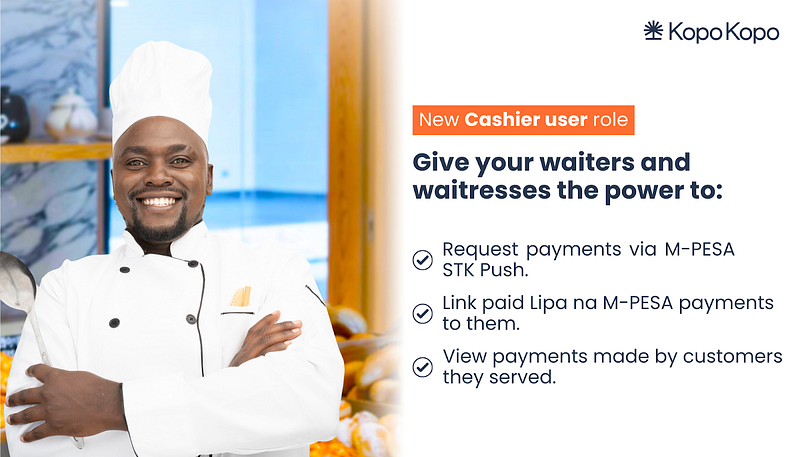
Now your waiters and waitresses can request payments via M-PESA STK Push. If a customer chooses to pay using the Lipa na M-PESA till number displayed on the walls, tables or receipt, the waiter or waitress who served their order can claim the payment to ensure it is linked to them.
They will also have a dedicated view on the mobile app to view payments made by customers they served during their shift for the past 24 or 48 hours — all in one place.
For you, this means easier team management and a faster, smoother experience for your customers.
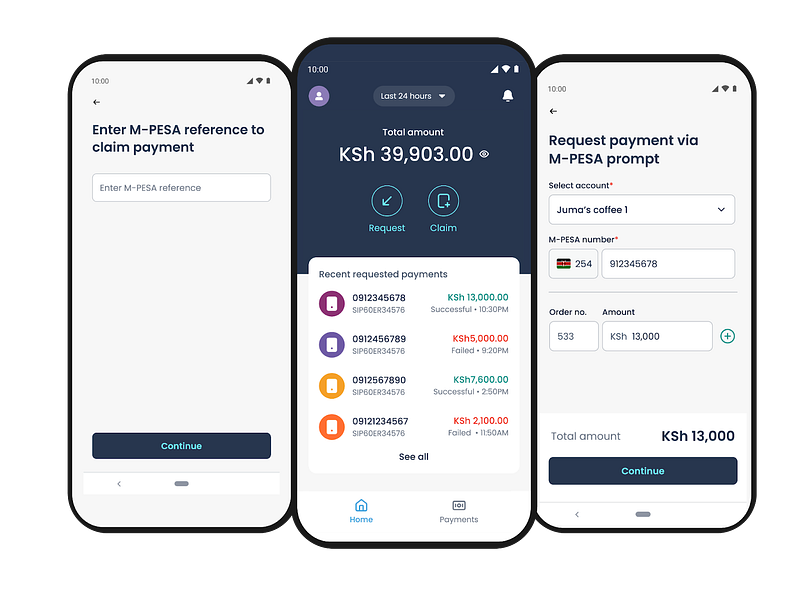
How does the new cashier role work?
✅ Each waiter and waitress gets their own space in the Kopo Kopo mobile app.
✅ They can only request, claim and view payments for customers they have served.
✅ They cannot move money, see other transactions or access other sections of the Kopo Kopo app.
✅ The account Administrator can add or remove Cashier users.
✅ The Administrator and Managers can view payments and orders processed by Cashier users.
📌Learn more about Kopo Kopo user roles.
⭐ More reasons why your business needs the cashier user role
✔️ No more confusion — Every payment is linked to the waiter or waitress who served the customer.
✔️ Easier tracking — Monitor how each waiter or waitress is performing without second-guessing.
✔️ No mix-ups — Waiters or waitresses only see their own transactions.
✔️ Faster payments — No more delays for customers while a waiter or waitress confirms a payment.
✔️ Better customer experience — Customers no longer have to show messages or write down M-PESA transaction codes.
📝 Ready to give it a try?
Setting it up is easy! If you are the account administrator, follow these steps:
1️⃣ Sign in to the Kopo Kopo web app.
2️⃣ Go to Manage, then select Users.
3️⃣ In the users table, click the gear icon and choose Add User.
4️⃣ Enter the user’s details and assign them the Cashier role.
5️⃣ The waiter or waitress will receive a link to download the app on iOS (coming soon) or Android.
P.S. We have created a guide that covers everything about the new Cashier role and how your waiters and waitresses can get started.
🗨️ We value your feedback
💡 This is just the beginning. The cashier role will continue to improve as we collect feedback from you. Keep an eye out for new features, and let us know what you love or what you would like us to improve.
Thank you for being a valued Kopo Kopo customer. We hope this new role helps take your business to the next level.
~ Team Kopo Kopo